Repair Insights
Patient Monitor Not Working? Common Faults and Technical Review
When a patient monitor is not working correctly, the issue can affect clinical readiness, department workflow, staff confidence, and equipment availability. The monitor may fail to power on, restart repeatedly, lose signal, show unstable readings, or fail to detect sensors and cables.
When a patient monitor is not working correctly, the issue can affect clinical readiness, department workflow, staff confidence, and equipment availability. The monitor may fail to power on, restart repeatedly, lose signal, show unstable readings, or fail to detect sensors and cables.
For clinics, hospitals, and medical centers, patient monitoring equipment must be reliable. If a monitor becomes unstable, the problem can delay care workflows, create uncertainty for staff, and reduce confidence in the equipment being used.
A proper repair decision should start with symptoms, risk, and technical diagnosis. Replacing equipment too early can create unnecessary cost, while delaying inspection can make the fault more expensive or disruptive.
When This Equipment Problem Affects Daily Operations
For clinics, hospitals, and medical centers, patient monitoring equipment must be reliable. If a monitor becomes unstable, the problem can delay care workflows, create uncertainty for staff, and reduce confidence in the equipment being used.
For professional clinics, centers, hospitals, and technical operations, equipment downtime is not only a device issue. It affects schedules, revenue, staff pressure, service quality, and customer confidence.
Common Symptoms to Watch For
The issue may appear suddenly or gradually. These symptoms should be recorded before sending the equipment for technical review.
- Monitor does not power on
- Device turns on but restarts repeatedly
- Display is blank, flickering, or distorted
- ECG leads or sensors are not detected
- SpO2 reading is unstable or missing
- NIBP module does not inflate or measure
- Alarm errors appear repeatedly
- Battery does not charge or hold power
- Power adapter or port feels loose
- The same fault returns after previous service
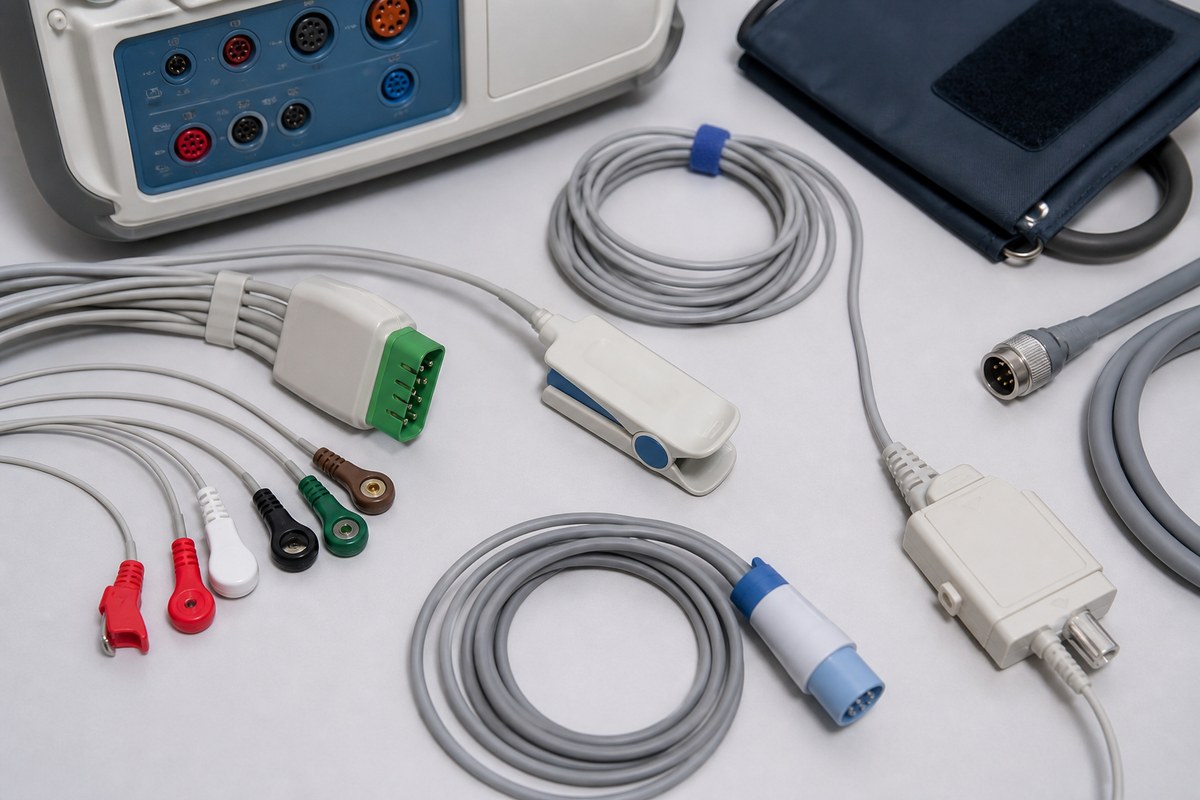
Patient monitor fault? If your patient monitor is showing power, display, sensor, or unstable reading problems, send the details to Emporium Point’s technical team for initial review.
Possible Causes Behind the Failure
Power Supply or Battery Problems
Power adapters, charging circuits, batteries, internal power boards, or connectors can cause startup failure, shutdowns, or unstable operation.
Sensor and Cable Connection Issues
ECG, SpO2, NIBP, and other accessories depend on stable connectors and compatible cables. Damaged accessories or ports may cause missing or unstable readings.
Display or Internal Board Faults
Blank screens, flickering displays, repeated restarts, or system errors may involve display modules, internal boards, or component-level faults.
Software, Alarm, or Module Instability
Some monitors show repeated alarm, module, or startup behavior that requires structured testing rather than guessing which accessory or board is responsible.
Risks of Ignoring the Problem
Ignoring repeated faults may turn a repairable issue into a larger operational and financial problem. The risks are higher when the equipment is used daily or directly supports revenue-generating services.
- Unreliable readings can reduce staff confidence
- Equipment may become unavailable during daily operation
- Accessory faults may be mistaken for full device failure
- Internal faults may worsen with continued use
- Replacement may be considered before repair review
- Repeated failures can disrupt department readiness
Basic Checks Before Requesting Repair
Before requesting professional repair, your team can perform a few safe checks. These checks do not replace technical diagnostics, but they help provide better information to the repair team.
- Confirm the power source and adapter connection
- Check whether the issue happens on battery and main power
- Try known working sensors or cables if available
- Record exact error messages or alarm codes
- Check whether one module or all functions are affected
- Inspect ports for visible damage or looseness
- Take photos or short videos of the fault
- Note brand, model, accessories used, and service history
Do not open internal covers, force damaged connectors, bypass safety systems, or keep operating equipment that shows burning smell, electrical instability, overheating, fluid leakage, or repeated shutdown.
When Professional Repair Is Needed
Professional repair review is recommended when the fault repeats, affects normal operation, creates safety or reliability concerns, or has already been checked elsewhere without a clear solution.
- The monitor does not power on
- Readings are unstable or missing
- The device restarts or freezes
- Display problems affect use
- Battery or charging problems repeat
- Ports or connectors appear damaged
- The issue was unresolved after previous repair
- The monitor is important for daily clinical readiness
How Emporium Point Reviews Patient Monitor Repair Cases
Need Patient Monitor Technical Review?
Need a technical diagnosis before replacing your patient monitor? Share brand, model, symptoms, photos, videos, and previous repair history.
Emporium Point follows a diagnostics-first workflow. The technical team reviews the equipment type, brand, model, symptoms, urgency, photos, videos, and any previous repair history before recommending the next step.
- Submit equipment details
- Upload photos or short videos
- Initial technical review
- Pickup or drop-off coordination where applicable
- Diagnosis and repair recommendation
- Repair, testing, and validation
- Return support and next-step guidance
For eligible repair requests, free pickup and delivery may be arranged across the UAE. This helps businesses avoid complicated transport arrangements for sensitive or operationally critical equipment.
FAQ
Can Emporium Point review patient monitor faults?
Yes. Emporium Point can review selected patient monitor and biomedical equipment issues, including power, display, sensor, accessory, and board-level symptoms.
Should we replace a patient monitor if it does not power on?
Not immediately. A technical review can help determine whether the issue is related to power supply, battery, connector, internal board, or another repairable area.
What details should we send?
Send the brand, model, symptoms, accessories used, error messages, photos or videos, and previous repair history.
Can unstable readings be caused by accessories?
Yes. Damaged cables, sensors, ports, or incompatible accessories can cause unstable or missing readings.
Do you support clinics and hospitals?
Yes. Emporium Point supports clinics, hospitals, medical centers, and healthcare businesses with selected medical equipment repair and technical review.
Request Technical Review
If your patient monitor is not working, restarting, showing unstable readings, failing to detect sensors, or repeating the same fault, send the details to Emporium Point for technical review.
Share the equipment type, brand, model, symptoms, photos, videos, urgency level, location, and previous repair history. Emporium Point’s technical team will review the case and guide you toward the most practical next step.
Request Technical Review
WhatsApp Technical Team
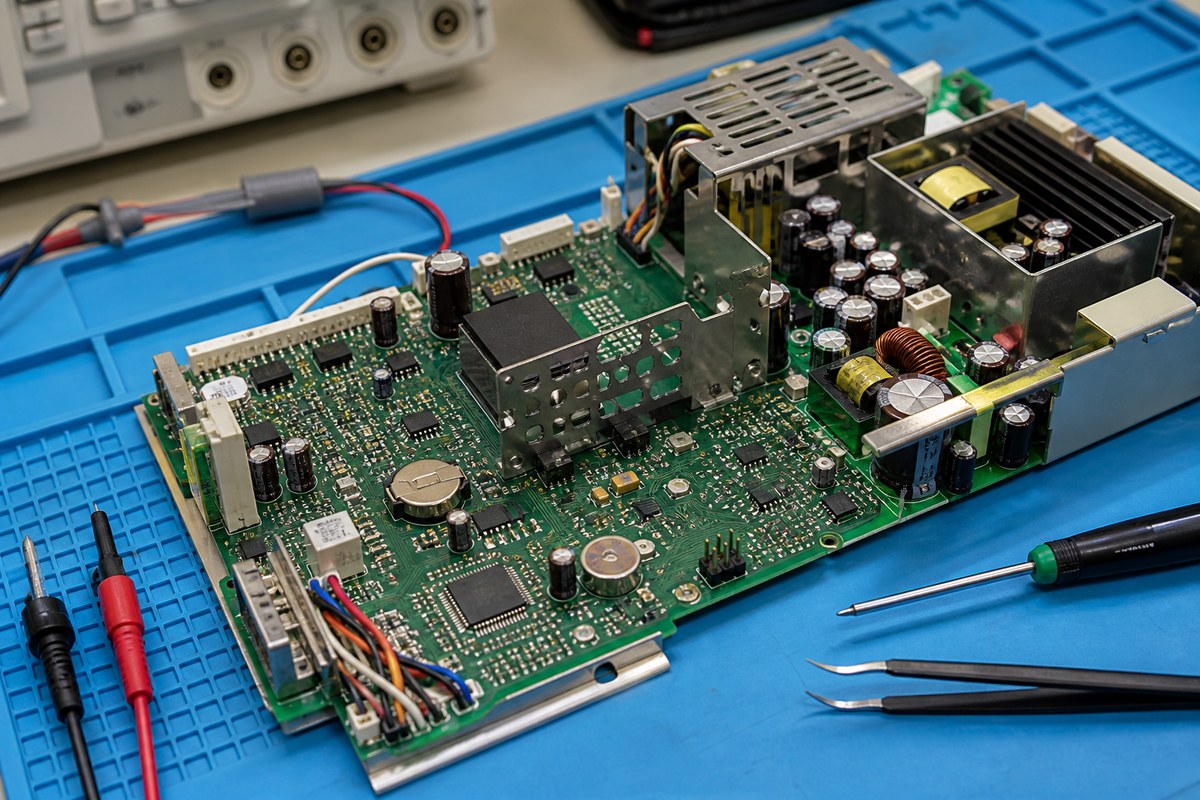
Request Patient Monitor Repair Review
Send your patient monitor details now. Emporium Point provides technical repair review, diagnostics, and free pickup and delivery across the UAE for eligible repair requests.